
This error is due to a failed NETWORK adaptor – not a USB driver. It’s the fact Windows is trying to detect a non-existent and NOT REQUIRED USB driver for the programming cable that is actually stopping things from working…
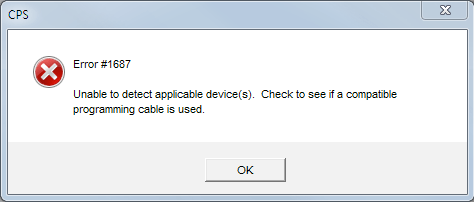
The USB cable is what took my attention away from the real problem until I realised that when programming certain Motorola radios, the cable isn’t actually acting as a USB cable but as a network cable. The following assumes you have installed the Motorola CPS and the OS is Windows 11…
- Firstly check the programming cable is OK. The USB end on mine may be wearing out and by joining an additional USB extension cable, it’s been observed to solve detection problems with the radio. Plug and unplug a few times and change USB ports to ensure it’s not just a frail connection.
- To replace the driver, unplug everything
- open the Windows Device Manager (Start key + X then M)
- go to the View menu and Show hidden devices
- under Network Adaptors, right-click on MOTOTRBO Radio and Uninstall device if it’s there. If it’s not there, move onto the next step below. You can place a tick in the “Attempt to remove the driver for this device” if you want. It doesn’t seem to matter
- under Universal Serial Bus Controllers, Uninstall all instances of the “Unknown USB Device (Device Descriptor Request Failed)” Leave the Device Manager window open
- Go to the Action menu and choose Add drivers
- tick Include subfolders then Browse… to
C:\Program Files (x86)\Motorola\MOTOTRBO Drivers\RNDIS and then click OK and then Next - You should then see Drivers successfully installed and detail of the installed file (mototrbo.inf/oem37.inf)
- at this point you will NOT see MOTOTRBO Radio in Network adaptors. To engage it, plug the radio into a USB port and switch it on
- if everything is working properly, MOTOTRBO Radio will be active in the Device Manager’s Network adaptors and there will be NO USB driver at all trying to barge in
- this method has the effect of bolting down the driver better into the system than doing a fresh install of the CPS and also seems to work every time.
 wacrs.org